

Hey there! As a supplier of Direct Drive PMSM Fans, I'm stoked to share with you how to install one of these bad boys on a vertical surface. Whether you're a DIY enthusiast or a professional installer, this guide will walk you through the process step by step.
Why Choose a Direct Drive PMSM Fan?
Before we dive into the installation process, let's quickly talk about why Direct Drive PMSM Fans are a great choice. These fans are known for their high efficiency, low noise operation, and long lifespan. The permanent magnet synchronous motor (PMSM) technology used in these fans provides better performance compared to traditional induction motors. They also offer precise speed control, which means you can adjust the airflow according to your needs.
Tools and Materials You'll Need
First things first, gather all the tools and materials you'll need for the installation. Here's a quick list:
- Direct Drive PMSM Fan
- Mounting brackets (usually included with the fan)
- Screwdriver set
- Drill with appropriate drill bits
- Level
- Measuring tape
- Safety goggles and gloves
Step 1: Choose the Right Location
The first step in installing your Direct Drive PMSM Fan on a vertical surface is to choose the right location. You want to pick a spot that allows for maximum airflow and is easily accessible for maintenance. Make sure the surface is sturdy enough to support the weight of the fan. A wall or a vertical column made of concrete, brick, or metal is usually a good choice.
Measure the area where you plan to install the fan. You need to ensure that there's enough space around the fan for proper ventilation. A general rule of thumb is to leave at least 12 inches of clearance on all sides of the fan.
Step 2: Prepare the Mounting Surface
Once you've chosen the location, it's time to prepare the mounting surface. Use a level to make sure the surface is perfectly vertical. If it's not, you may need to shim it to get it level.
Next, mark the locations for the mounting holes. Refer to the fan's installation manual for the exact spacing and size of the holes. Use a measuring tape to ensure accurate markings.
Step 3: Drill the Mounting Holes
Put on your safety goggles and gloves before you start drilling. Using the appropriate drill bit, carefully drill the mounting holes into the vertical surface. Make sure the holes are deep enough to accommodate the screws or bolts that will hold the mounting brackets in place.
After drilling the holes, clean out any debris or dust from the holes using a brush or compressed air.
Step 4: Install the Mounting Brackets
Take the mounting brackets that came with the Direct Drive PMSM Fan. Align them with the drilled holes on the vertical surface. Insert the screws or bolts through the brackets and into the holes. Use a screwdriver or a wrench to tighten them securely. Make sure the brackets are firmly attached to the surface and are level.
Step 5: Attach the Fan to the Mounting Brackets
Now it's time to attach the fan to the mounting brackets. Lift the fan carefully and align it with the brackets. There are usually pre - drilled holes on the fan that match the holes on the brackets. Insert the screws through these holes and tighten them using a screwdriver.
Once the fan is attached, double - check that it's securely mounted and level. You don't want it to wobble or vibrate during operation.
Step 6: Electrical Connection
Before making any electrical connections, make sure the power is turned off at the circuit breaker. Refer to the fan's wiring diagram for the correct way to connect the electrical wires. Usually, you'll need to connect the power supply wires to the fan's terminal block.
Use wire nuts or other approved electrical connectors to make the connections. Wrap the connections with electrical tape for added safety.
After making the electrical connections, turn the power back on at the circuit breaker and test the fan. If it doesn't start, double - check your wiring and make sure all the connections are secure.
Step 7: Final Checks
Once the fan is running, do a final inspection. Check for any unusual noises, vibrations, or signs of overheating. Make sure the fan blades are spinning smoothly and that the airflow is as expected.
If you notice any issues, turn off the power immediately and troubleshoot the problem. It could be something as simple as a loose screw or a wiring problem.
Different Sizes of Direct Drive PMSM Fans
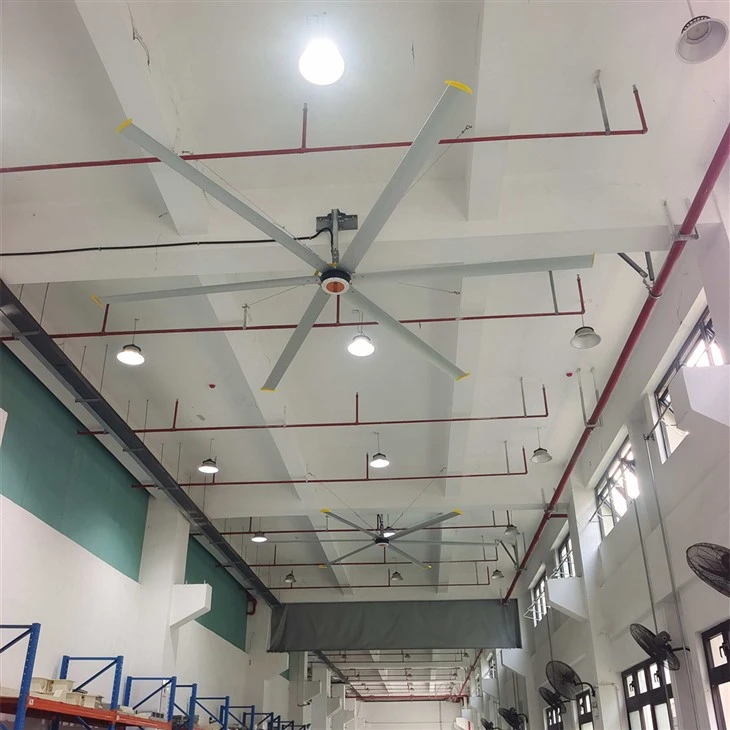
We offer a wide range of Direct Drive PMSM Fans to suit different needs. If you're looking for a large - scale solution, check out our Large PMSM Fans. These fans are perfect for industrial settings or large commercial spaces.
For more specific applications, we have the 18 Feet PMSM Fan, which provides a powerful airflow over a large area. And if you need a more compact option, our 6 Feet PMSM HVLS Fan is a great choice for smaller spaces.
Conclusion
Installing a Direct Drive PMSM Fan on a vertical surface isn't too difficult if you follow these steps. It's a great way to improve the ventilation in your space and enjoy the benefits of a high - efficiency fan.

If you're interested in purchasing one of our Direct Drive PMSM Fans or have any questions about the installation process, don't hesitate to reach out. We're here to help you make the right choice and ensure a smooth installation.
References
- Manufacturer's installation manual for Direct Drive PMSM Fans
- General electrical safety guidelines for fan installations